KueIt Features
The go-to audio sampler soundboard app for DJs and live performers

Uniquely designed audio sampler app for your sound effects, audio drops & jingles
The DJ soundboard app is available for macOS, Windows, the App Store & Google Play
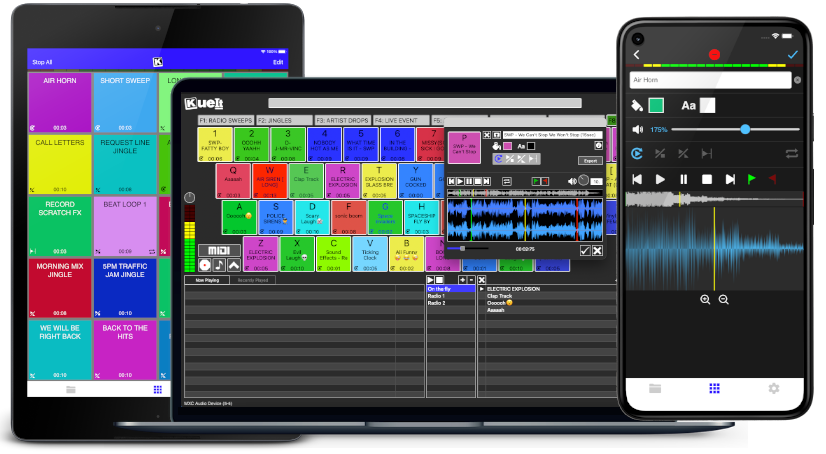
30 day money back guarantee for desktop and 7 day FREE trial for mobile devices!!!
KueIt DJ sound effects app can be used in many settings
Replace large bulky machines with this cost-effective DJ soundboard app
KueIt audio sampler app allows you to play all your drops, jingles, and sound effects
Performers, arm yourself with an arsenal of audio files at your fingertips with a handy DJ soundboard app
Instantly trigger the appropriate sound for the big play straight from your computer or mobile device
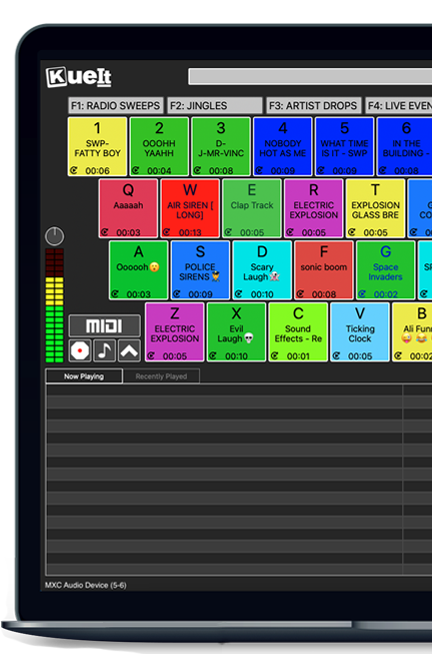
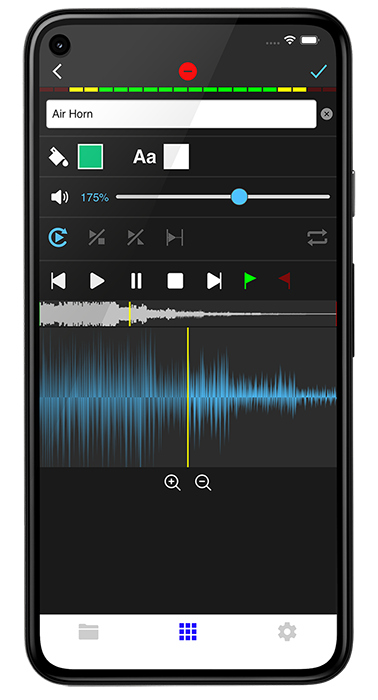
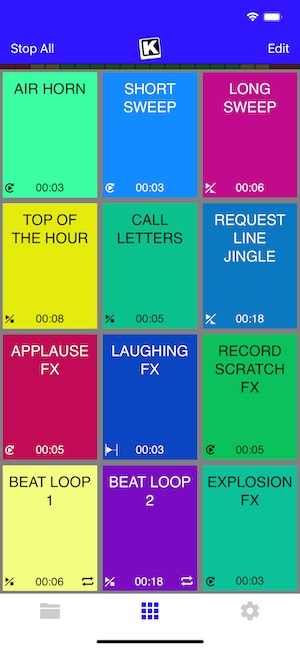
KueIt gives you the flexibility you need. Load your audio tracks to your profile and customize your layout. Trigger your drops, jingles, sound effects and songs instantly by the touch of your fingertips.
Enjoy your very own audio sampler app packed with amazing features

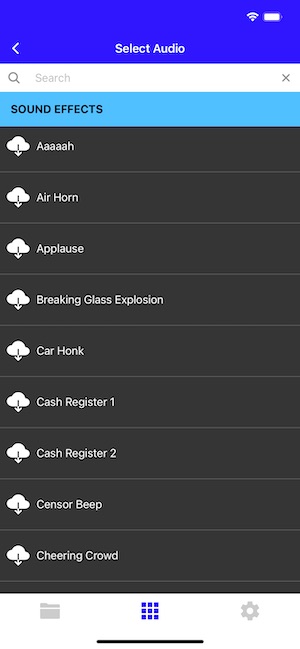
Our cloud covers different sound types including sound fx, voice tracks, beat loops, percussion & more!
* Cloud access is only offered for KueIt Mobile Pro Plan
users
* Pro Plan available via in-app purchase
KueIt was designed for the serious DJ, podcaster, producer, or broadcaster. The easy yet reliable performance of the KueIt soundboard app makes it perfect for podcasts, nightclubs, TV, live concerts, sporting events, school gymnasiums, and anywhere that quality music, jingles, or sound effects are needed. Don't compromise the outcome of your event or broadcast. Go with a DJ sampler app system that works... KueIt.
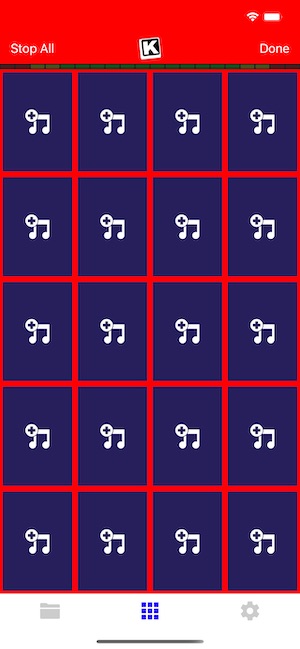
Easily add audio clips to your profile and play them with zero delay
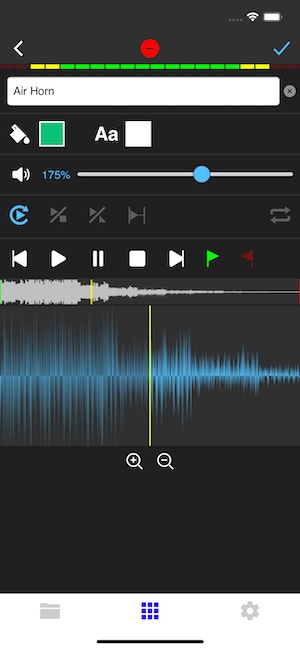
Edit name & volume. Set play mode, set up loops & start/end points via waveform
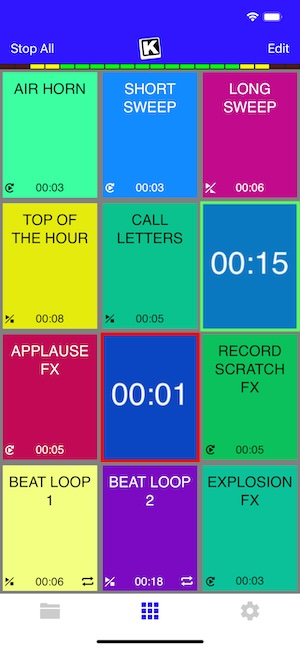
Instantly play your loaded audio clips at the touch of your fingertips
Get studio quality audio. KueIt also works with external soundcards
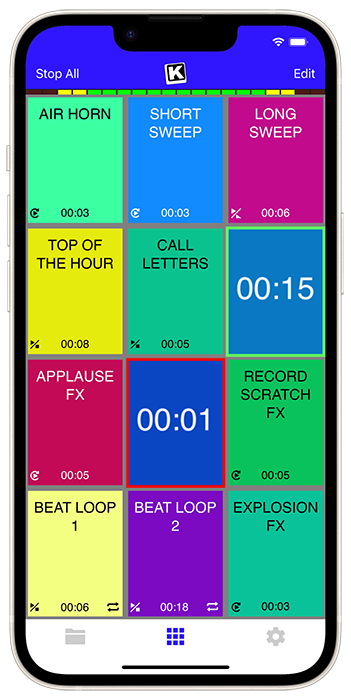
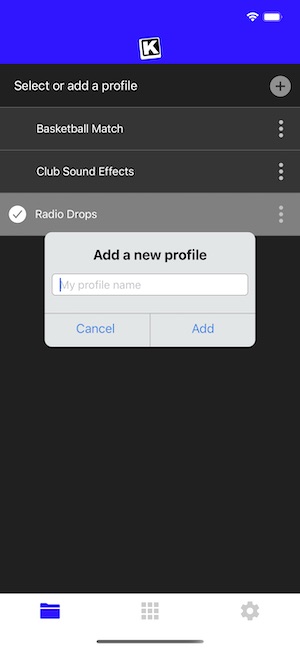
Create custom profiles in the audio sampler app and assign multiple audio clips for each profile
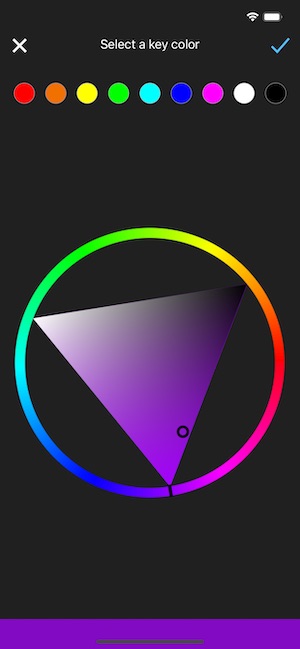
Set the pad color & font color of each pad
Use KueIt on macOS/Windows or iOS/Android phone or tablet
Backup your KueIt profiles via iCloud/Google Drive on mobile or via export on desktop

"KueIt allows DJs to step their game up. You can play like a radio DJ in front of a crowd, KueIt is one of the hottest programs to hit the market"

"KueIt made it easier for me to load up my sounds. No more instant replay"

"KueIt makes my life (DJing on the radio) easier, and it's extremely user friendly. After using it for only a few minutes, I felt comfortable enough to take it to the radio and get busy with it live on the air"
KueIt is designed to easily load, edit and customize your profiles. Once loaded, your pads are ready to be triggered instantly
: Your personal control layouts, AI difficulty preferences, and steering assist configurations.
On the surface, the save data for F1 2006 is straightforward. However, for the dedicated fan, it represents specific value:
Navigate to > USB Connection on the PSP home screen. Open the PSP directory on your computer. f1 2006 psp save data
Once you've obtained F1 2006 PSP save data, you'll need to know how to use it. Here's a step-by-step guide:
If you do not have the time to grind through multiple full-length calendar seasons to unlock the game's hidden gems, installing a pre-made 100% completion save file is the best shortcut. Step 1: Check Your Game Region ID
safely, boot up Formula One 06 , and load your new profile. How to Install F1 2006 Save Data on PPSSPP Emulator : Your personal control layouts, AI difficulty preferences,
: Connect your PSP to a PC via Mini-USB and select USB Connection in the PSP settings menu.
To manage your (Formula 1 06) save data on the PSP, you must navigate the SAVEDATA directory on your Memory Stick. This guide covers locating, backing up, and repairing your files to ensure your career progress and championship settings remain safe. 1. Locating Save Files
For a game like F1 2006 , save data is crucial for several reasons. First, it allows players to progress through the Career mode, building their team and reputation over multiple seasons. Second, many of the classic cars and tracks are locked from the start and only become available as players meet specific in-game achievements. Save files allow these rewards to be shared, saving others the time and effort of unlocking them. Finally, for those who want to tweak the game, save data is the foundation for creating custom mods or applying advanced cheat patches. Open the PSP directory on your computer
remains a beloved nostalgic trip for racing fans, capturing the legendary V8 era featuring Michael Schumacher’s final year with Ferrari and Fernando Alonso’s championship defense with Renault. However, unlocking every track, classic car, and historical challenge in the game requires dozens of hours of precise driving.
Disconnect your PSP and launch the game. Go to the profile selection screen, load the new data, and you will instantly grant yourself access to:
: Your personal control layouts, AI difficulty preferences, and steering assist configurations.
On the surface, the save data for F1 2006 is straightforward. However, for the dedicated fan, it represents specific value:
Navigate to > USB Connection on the PSP home screen. Open the PSP directory on your computer.
Once you've obtained F1 2006 PSP save data, you'll need to know how to use it. Here's a step-by-step guide:
If you do not have the time to grind through multiple full-length calendar seasons to unlock the game's hidden gems, installing a pre-made 100% completion save file is the best shortcut. Step 1: Check Your Game Region ID
safely, boot up Formula One 06 , and load your new profile. How to Install F1 2006 Save Data on PPSSPP Emulator
: Connect your PSP to a PC via Mini-USB and select USB Connection in the PSP settings menu.
To manage your (Formula 1 06) save data on the PSP, you must navigate the SAVEDATA directory on your Memory Stick. This guide covers locating, backing up, and repairing your files to ensure your career progress and championship settings remain safe. 1. Locating Save Files
For a game like F1 2006 , save data is crucial for several reasons. First, it allows players to progress through the Career mode, building their team and reputation over multiple seasons. Second, many of the classic cars and tracks are locked from the start and only become available as players meet specific in-game achievements. Save files allow these rewards to be shared, saving others the time and effort of unlocking them. Finally, for those who want to tweak the game, save data is the foundation for creating custom mods or applying advanced cheat patches.
remains a beloved nostalgic trip for racing fans, capturing the legendary V8 era featuring Michael Schumacher’s final year with Ferrari and Fernando Alonso’s championship defense with Renault. However, unlocking every track, classic car, and historical challenge in the game requires dozens of hours of precise driving.
Disconnect your PSP and launch the game. Go to the profile selection screen, load the new data, and you will instantly grant yourself access to: